EurOBIS IPT User Manual

Converting your data to Darwin Core format
Before uploading your data to the IPT, make sure that it is compatible with the Darwin Core format. The following resources can help:
Uploading your data to the IPT
Once your data follow the Darwin Core structure, the next step is to upload them to the IPT. If you do not yet have IPT credentials, request them by emailing info@eurobis.org.
EurOBIS maintains two IPT instances:
The production IPT is where your dataset needs to be published so that it can flow to EMODnet Biology, OBIS and GBIF. The sandbox IPT is intended for testing and is the right place to become familiar with the IPT before moving to production.
Follow steps 1–6 in the GBIF guide: How to publish biodiversity data through GBIF.org.
Choose a meaningful short name when creating your IPT resource. Avoid names such as test_V2 or aaa.
Because your dataset has not yet undergone quality control, publish it initially with its visibility set to private.
Quality control
Once your dataset is available on the IPT, it should undergo quality control to ensure compliance with EMODnet Biology and OBIS standards. The freely available LifeWatch & EMODnet Biology QC tool can help with this process.
To use the tool with a private IPT resource, first download your dataset as a Darwin Core Archive. Open the resource you created by clicking View.
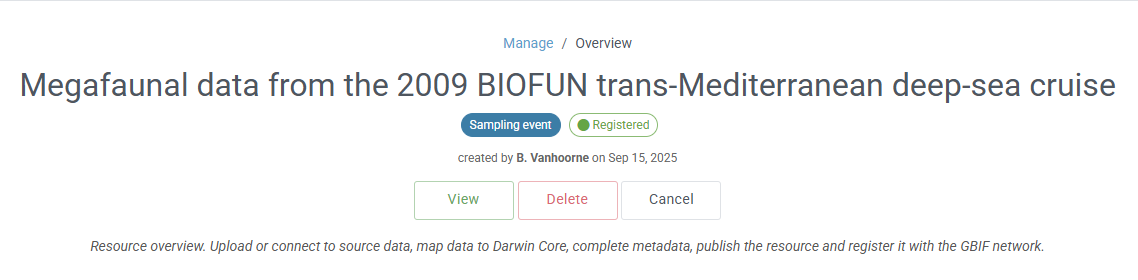
Next, click download beside Data as a DwC-A file.

In the QC tool, select the File option and upload the Darwin Core Archive you downloaded.
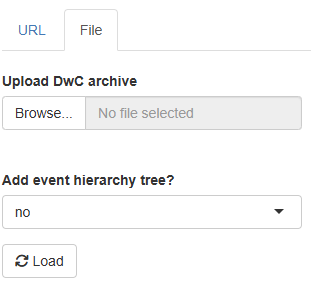
The tool's About tab contains detailed explanations of possible errors. A tutorial video is also available.
Please resolve as many issues as possible before contacting the EurOBIS team. Questions can be sent to info@eurobis.org.
Notifying the EurOBIS team
When your dataset is ready, notify us at info@eurobis.org.
A EurOBIS data manager will perform a further quality-control check and send feedback. After resolving any remaining issues, update the dataset in the IPT.
Once all quality issues are resolved, set the dataset visibility to public and notify us again. We will then ensure that the dataset flows to OBIS, EMODnet Biology and GBIF.
You also need to provide the GBIF-registered organisation with which the dataset should be affiliated. You can search existing GBIF publishers. When no suitable organisation is available, you may register your organisation with GBIF; note that you will then be responsible for the newly created publisher.
Adding the selected organisation to the EurOBIS IPT requires a shared token. Ask the organisation's contact person for the token and forward it to the EurOBIS team.
If you cannot or do not wish to register an organisation as a GBIF publisher, Flanders Marine Institute can be used as the publishing organisation.
Congratulations! Your dataset will soon be available through OBIS, EMODnet Biology and GBIF.
